Calories left today, right on your Home Screen.
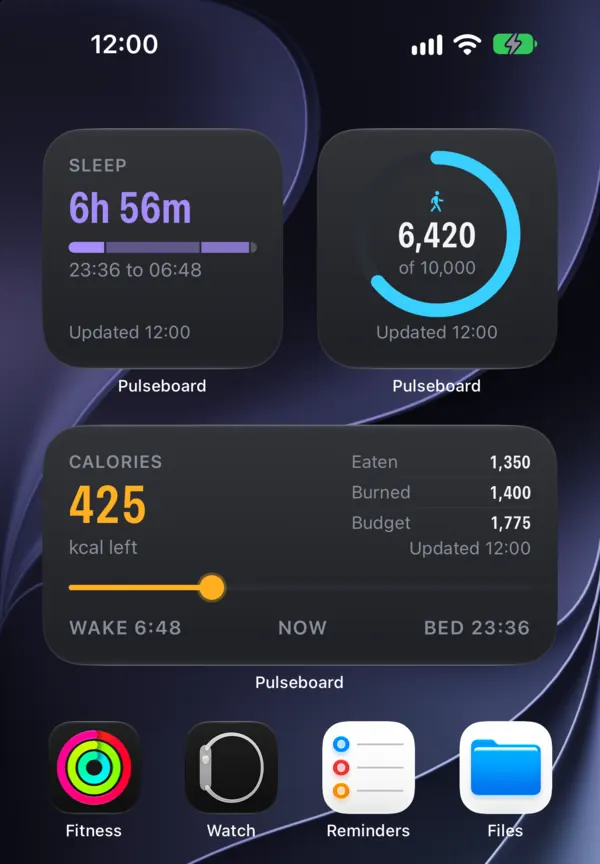
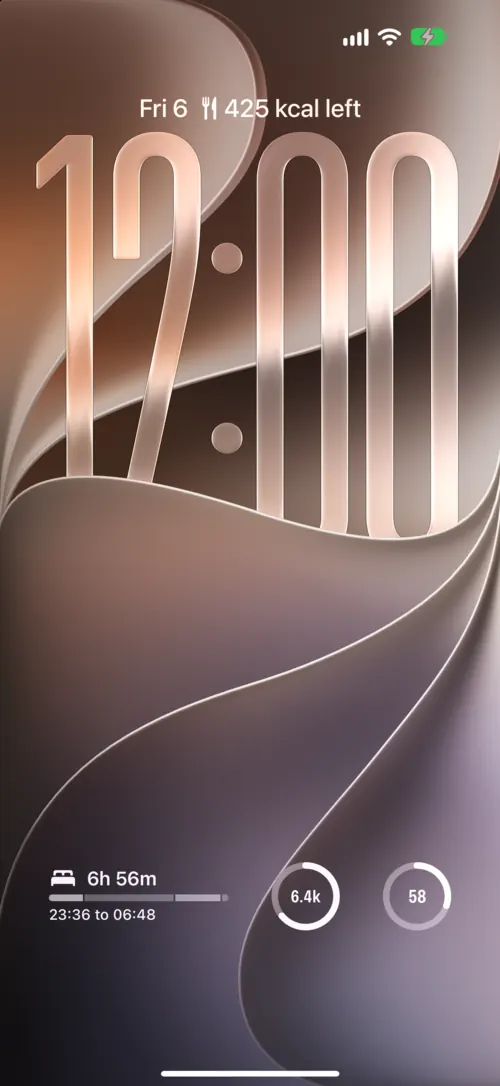
Pulseboard turns the data your Fitbit already tracks into iPhone widgets: what you’ve eaten, what you’ve burned and what’s left, on your Home Screen, Lock Screen and StandBy. Plus steps, sleep and heart rate.
- Eaten
- 1,350
- Burned
- 1,400
- Budget
- 1,775
Your day, wherever you glance
Numbers that sit where you already look, so you don’t open an app to find out how the day is going.
One number that keeps pace with your day
Calories left is worked out the way Fitbit’s food plan does it: what you’ve burned so far, plus what you’ll burn by bedtime, minus the deficit you choose, minus what you’ve eaten. As you move, the budget moves with you.
| Example day, 12:00 | kcal |
|---|---|
| Burned so far | 1,400 |
| Still to burn by bedtime | + 875 |
| Your deficit | − 500 |
| Budget | 1,775 |
| Eaten, from your Fitbit food log | − 1,350 |
| Left | 425 |
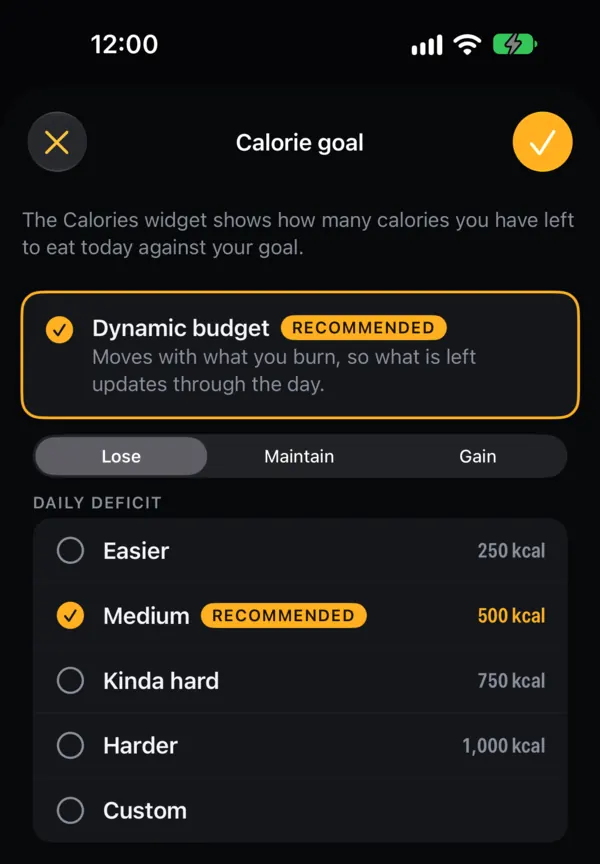
Pick a daily deficit of 250, 500, 750 or 1,000 kcal, set your own, or choose maintain or gain. Prefer one fixed number? Set a fixed target instead.
Estimates only, not medical advice.
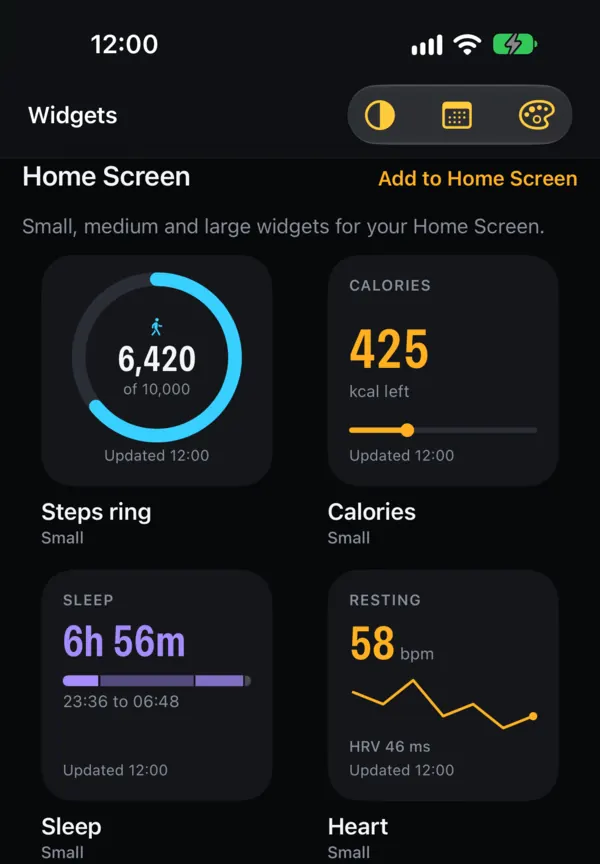
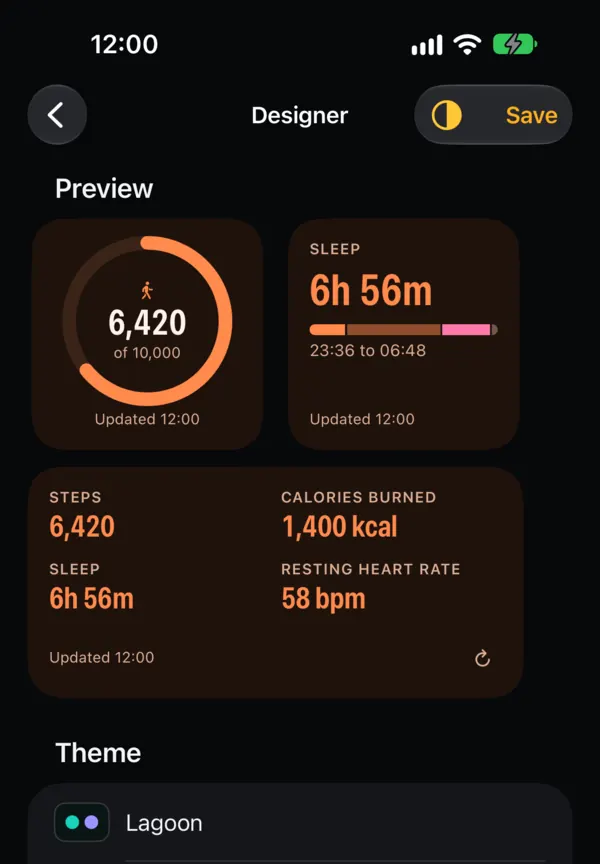
Fifteen widgets, in every size
Steps, sleep, heart, activity, body and more, from small to extra large, on the Lock Screen and in StandBy. Pick what matters and leave the rest.
On the Lock Screen
Also: Week, Steps by hour, Distance and floors, Body, Cardio fitness, Vitals, Active Zone Minutes, Bedside and a single metric of your choice. Live Activities for steps to goal, bedtime wind-down and walks.
Open the app for the whole day
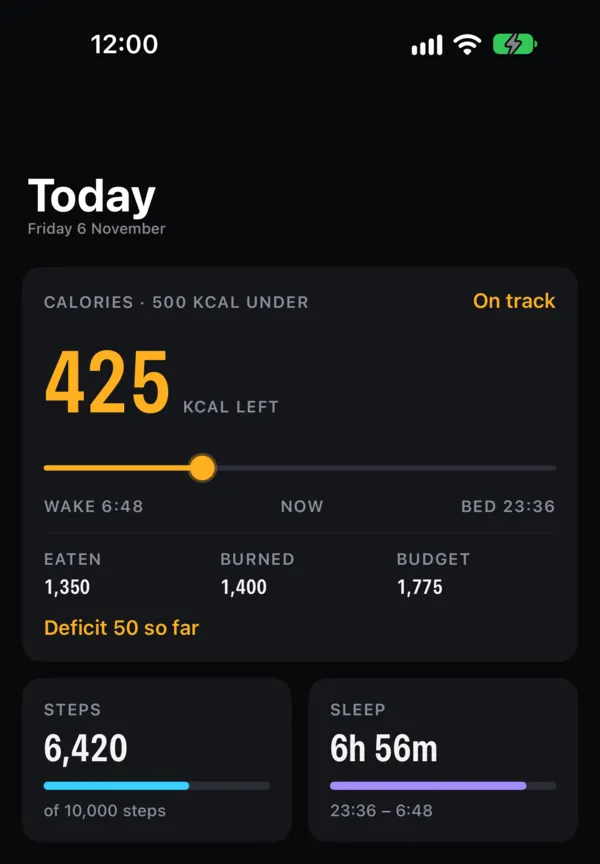
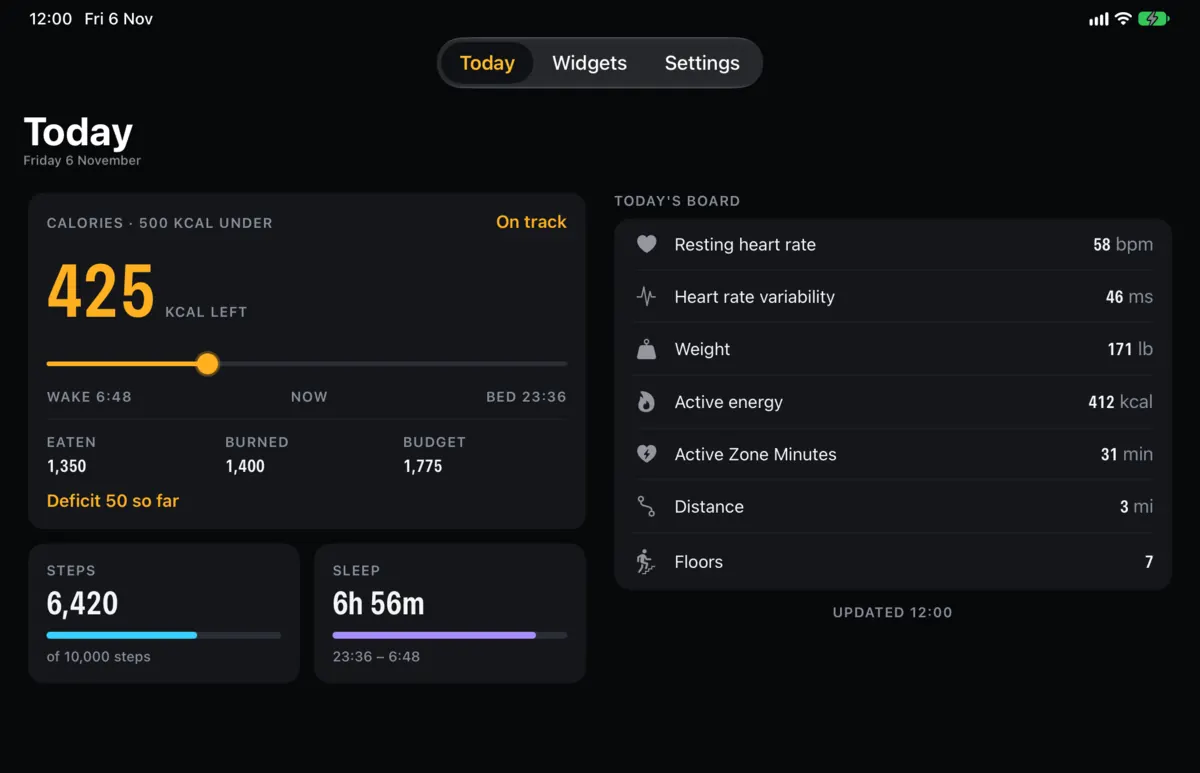
Today puts calories first, on a timeline from wake to bed, then steps and sleep, then one board for everything else. Ask Siri “How did I sleep?” or “How many steps have I done?” and get the answer with a card.
Room to spread out on iPad
Today reflows into two columns, and the Home Screen gets extra-large widgets.
Your data goes from Google to your iPhone. Nowhere else.
Pulseboard works with your Fitbit data. You sign in with the Google Account your Fitbit uses and give read-only permission, and the app reads your data from the Google Health API to show it in widgets, in the app, and when you ask Siri or Shortcuts about your stats.
There is no Pulseboard server and no account. Your data never reaches us, and we have no analytics or tracking.
What Pulseboard reads, read-only
- Activity steps, distance, floors, active calories and exercise minutes
- Health metrics heart rate, resting heart rate, weight and other measurements
- Sleep when you slept, for how long, and your sleep stages
- Nutrition calories eaten from food you log in Fitbit, for the Calories widget and Today
What it never does
- Change or delete anything at Google
- Send your data to a server, an advertiser or anyone else
- Keep it after you leave: Disconnect in Settings revokes access and deletes what was saved on your iPhone
Start free. Go Pro for calories.
Pulseboard is free to download. Pro unlocks the calorie budget and Calories widget, every widget, size, Live Activity and theme, longer charts, and widgets that refresh four times as often.
Free
$0- Steps widget: small, Lock Screen circle and line, StandBy
- Small Sleep widget
- Siri answers for steps and sleep
- The Today screen
Pro
Prices in US dollars; the price shown in the App Store at purchase is the one that applies. Subscriptions renew automatically unless cancelled at least 24 hours before the end of the period, and you can manage them in your Apple Account settings.
Questions
What do I need to use Pulseboard?
An iPhone or iPad and a Fitbit whose data is in your Google Account. You sign in with that Google Account and Pulseboard reads your data through the Google Health API.
Does Pulseboard log food?
No. Keep logging food in Fitbit as you do now. Pulseboard reads what you log and shows it as Eaten.
How up to date are the widgets?
Widgets refresh on the schedule iOS allows, so a number can lag the Fitbit app by a few minutes. Pro widgets refresh four times as often.
Can Pulseboard change my Fitbit data?
No. Access is read-only. Pulseboard can’t add, edit or delete anything in your Google Account.
Does it show Sleep Score or Readiness?
No, those aren’t available to Pulseboard. What you see also depends on what your Fitbit tracks.
When can I download it?
Pulseboard is in App Store review and is coming soon for iPhone and iPad.
Put today’s numbers where you’ll see them.
Pulseboard is made by MINIMA APPS LIMITED, a company in the United Kingdom. Read how we handle your data in the Privacy Policy, see the Terms of Use, or get help on the Support page. Contact: [email protected].
Not affiliated with Google or Fitbit. Fitbit is a trademark of Google LLC.